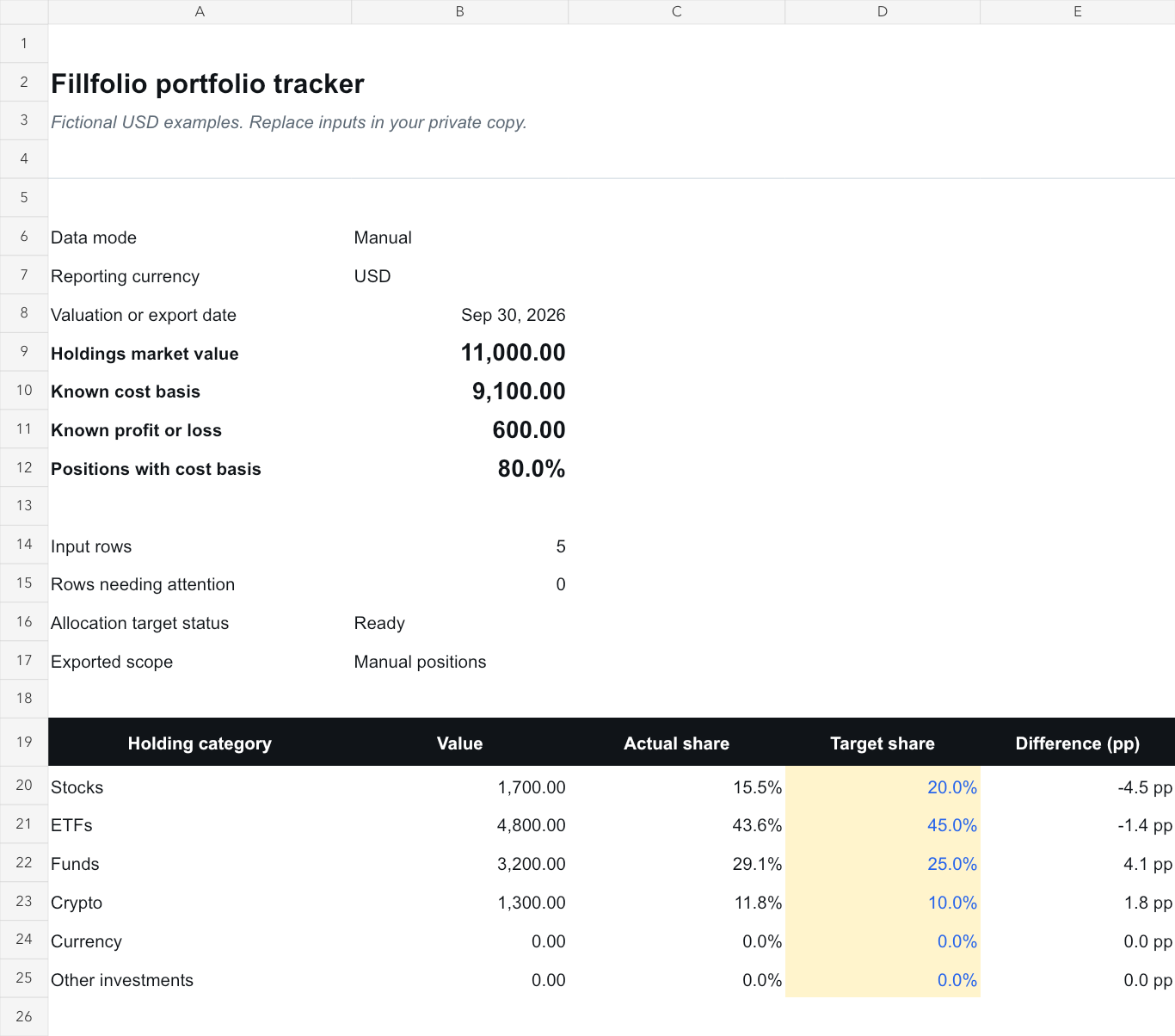
Review the value and weight of your selected investment holdings.
Template preview with fictional example data.
Copy it. Add your own numbers.
Use the manual worksheet for free with a Google account. The companion guide explains the inputs, checks and optional sync workflow. No Fillfolio account is required for manual entry.
Save a personal copy and check Share settings before entering financial information. Remove the fictional examples before using your own values.
Inside the workbook
Portfolio
My Positions
Linked Data
Quick Start
Use the template for a review you can repeat.
Record the holdings you want to include
Keep an account label with each position in My Positions. Enter quantities and observed prices in one reporting currency; the worksheet calculates market value as quantity times price. Set the valuation date in Quick Start B8 to distinguish this review from a live quote.
Review investment allocation
Compare the value and weight of your selected holdings. Set a target share for Stocks, ETFs, Funds, Crypto, Currency and Other investments in Portfolio cells D20:D25. Enter six numeric targets between 0% and 100% that total 100%; B16 shows the target check. Compare actual shares in column C with actual-minus-target differences in column E, measured in percentage points. This review excludes cash and debt.
Keep the calculation auditable
Check for duplicate positions, missing values and a consistent reporting currency before relying on a total. A blank input means you still need a value. A genuine zero counts as a supplied value.
Optional paid workflow
Bring your Fillfolio reports into your copy.
Paid Fillfolio portfolio sync can create managed reports in this copy. The template's Linked Data tab reads Holdings market value and other supplied metrics from Summary, with the reporting currency from Settings. It uses category values from Allocation with Cash excluded and recalculates weights against holdings market value. Select Fillfolio in Quick Start only after the reports exist. Fillfolio's separate Allocation report also includes cash. Keep personal inputs and calculations outside managed ranges.
Install the add-on, open its sidebar in your copy, and approve that spreadsheet in Fillfolio. Sync is manual and one way. It reads stored data and exports full financial values to anyone with access to the spreadsheet. Disconnecting stops future syncs; exported cells and copies remain.
Do I need a Fillfolio subscription to use the template?
You can use the free manual template with a Google account. A paid Fillfolio plan is required only for optional add-on portfolio sync.
Does the template update prices automatically?
You enter observed values for the manual review. The optional Fillfolio add-on reads stored Fillfolio data when you run a manual sync; it does not schedule updates or guarantee a fresh provider observation.
Does it calculate investment performance?
This template reviews current value and allocation. Allocation change is not investment return. A complete performance calculation needs appropriate cost basis, dated cash flows and other inputs beyond this review.
These worksheets help you organize records. Fillfolio does not provide investment, tax or legal advice. Google Sheets™ and Google Docs™ are trademarks of Google LLC.